Scheduled Tasks
Scheduled tasks let you queue prompts now and have the agent execute them at a specific time. This is useful for deferring work to off-peak hours, batching instructions before a deadline, or preparing sessions in advance.
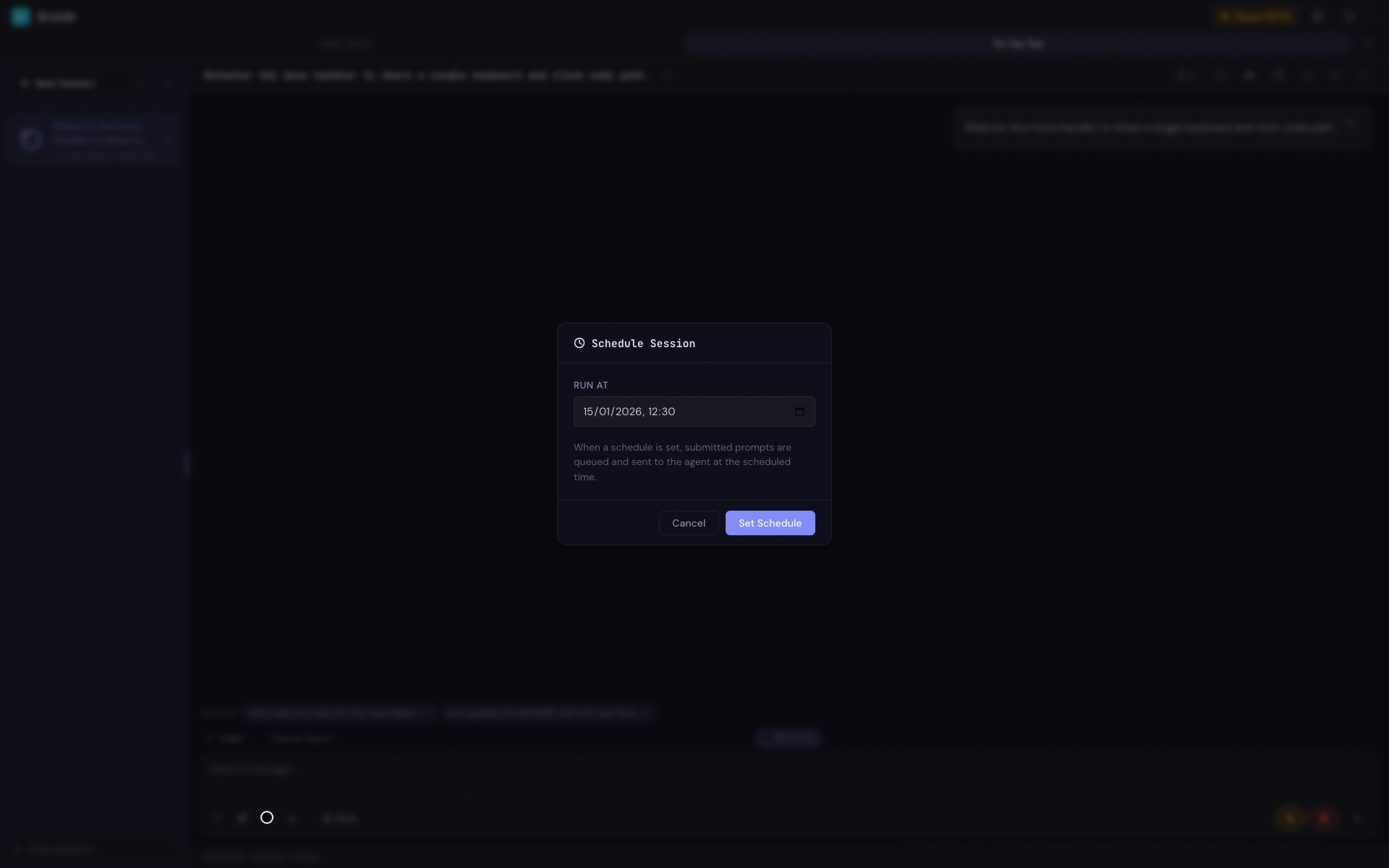
Setting a Schedule
- Open a session (or create a new one)
- Click the clock icon in the prompt input toolbar
- In the schedule modal, pick a date and time using the Run at datetime picker
- Click Set Schedule
The clock icon highlights when a schedule is active, and a banner appears above the prompt input showing the scheduled time:
Scheduled for Apr 10, 3:00 PM — prompts will queue until then
Queuing Prompts for a Schedule
Once a schedule is set, submitting a prompt queues it instead of sending it immediately. The submit button keeps its regular appearance (the same as when the agent is running); its tooltip reads "Queue for scheduled run" to indicate that prompts are being queued.
Queued prompts appear as chips labelled Queued above the prompt input. You can remove any queued prompt by clicking its x button, click a chip to edit it, or drag and drop chips to reorder them.
You can queue as many prompts as you need. They are persisted to disk so they survive browser refreshes and server restarts.
How Schedules Trigger
Schedules are checked every 10 seconds (aligned to the 10-second boundaries of the clock, so the top of each minute is always one of the tick points). When the scheduled time has passed, the queued prompts are delivered to the agent as a single submission and the schedule is cleared.
The agent then processes the prompts as if you had submitted them manually. Progress appears in the session view and the sidebar status indicator updates to show the session is running.
If the agent has restarted since the schedule was created, Braide re-establishes the agent session automatically before sending the prompts.
Updating a Schedule
Click the clock icon again to reopen the schedule modal. The current scheduled time is pre-filled. Change the time and click Update.
Clearing a Schedule
To remove a schedule:
- Click the clock icon to open the schedule modal
- Click Clear Schedule
This removes the schedule but keeps any queued prompts. Because the schedule is no longer active, the queued prompts are submitted to the agent immediately — just as if you had typed and sent them without a schedule.
Schedule Persistence
Schedules and their queued prompts are persisted per session, so they survive browser refreshes, app restarts, and even server restarts. When Braide starts back up, any schedules whose time has arrived are processed immediately.
Notes
- If the scheduled time is in the past when you set it, the schedule modal warns that it will trigger on the next check.
- Schedules are checked once per minute, so there may be up to a one-minute delay after the scheduled time.
- The agent must be running at the scheduled time for the prompts to be sent. If the agent is not running, the schedule remains pending until it starts.
- Scheduled tasks work alongside queued prompts — if the agent is already running when the schedule triggers, the prompts are sent as soon as the current task completes.